
Free English Typing Tutor Online – Learn Typing Step by Step (2026)
फ्री इंग्लिश टाइपिंग ट्यूटर – शुरुआत से टाइपिंग सीखें
Typing is one of the most important skills for SSC CHSL, SSC CGL, Railway NTPC, UPSSSC, UP Police, High Court and many other government and private jobs. Many candidates clear the written exam but fail the typing test because of low speed or too many mistakes. If you practice the right way from day one, typing is easy to learn.
टाइपिंग आज के समय में सबसे ज़रूरी स्किल में से एक है। SSC, रेलवे, UPSSSC, कोर्ट और कई प्राइवेट नौकरियों में टाइपिंग टेस्ट होता है। बहुत से उम्मीदवार लिखित परीक्षा पास कर लेते हैं, लेकिन कम स्पीड या ज़्यादा गलतियों की वजह से टाइपिंग टेस्ट में रह जाते हैं। अगर आप पहले दिन से सही तरीके से अभ्यास करें तो टाइपिंग सीखना आसान है।
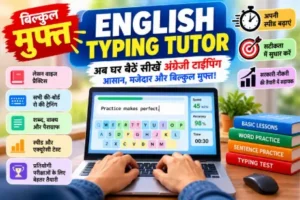
Use our free English typing tutor to learn typing lesson by lesson. No registration, no download, no fee.
हमारे फ्री इंग्लिश टाइपिंग ट्यूटर से लेसन-दर-लेसन टाइपिंग सीखें। कोई रजिस्ट्रेशन नहीं, कोई डाउनलोड नहीं, कोई फीस नहीं।
Contents (विषय-सूची)
- Free Tools (फ्री टूल)
- About the Typing Tutor (टाइपिंग ट्यूटर के बारे में)
- Instructions – Hindi & English (निर्देश)
- Finger Placement Chart (उँगलियों का चार्ट)
- 8-Week Practice Plan (8 सप्ताह की योजना)
- Exam Typing Speed (परीक्षा में टाइपिंग स्पीड)
- Typing Terms (टाइपिंग शब्दावली)
- Tips & Common Mistakes (टिप्स और गलतियाँ)
- Sample Practice Passage (अभ्यास पैराग्राफ)
- FAQs (अक्सर पूछे जाने वाले प्रश्न)
Free Tools for Students (छात्रों के लिए फ्री टूल)
Free Tools फ्री टूल
These tools are useful during exam preparation and online form filling: practice typing, take mock tests, edit or convert PDFs, and resize your photo and signature to the required size.
ये टूल परीक्षा की तैयारी और ऑनलाइन फॉर्म भरते समय काम आते हैं: टाइपिंग अभ्यास, मॉक टेस्ट, पीडीएफ एडिट/कन्वर्ट और फोटो-सिग्नेचर का साइज़ बदलना।
About the Free English Typing Tutor (टाइपिंग ट्यूटर के बारे में)
Our online English typing tutor is designed for complete beginners as well as students who want to increase their speed. You start with simple home row keys and move step by step to full sentences and paragraphs. Every lesson has instructions and practice, so you always know what to do next.
हमारा ऑनलाइन इंग्लिश टाइपिंग ट्यूटर पूरी तरह नए सीखने वालों और स्पीड बढ़ाने वाले छात्रों, दोनों के लिए बनाया गया है। आप होम रो की आसान कीज़ से शुरू करते हैं और धीरे-धीरे पूरे वाक्य और पैराग्राफ तक पहुँचते हैं। हर लेसन में निर्देश और अभ्यास दिया गया है।
Features (विशेषताएँ)
- Beginner-friendly lessons – शुरुआती लोगों के लिए आसान लेसन
- Practice after every lesson – हर लेसन के बाद अभ्यास
- Live WPM and accuracy – लाइव स्पीड (WPM) और एक्यूरेसी
- Simple passages for real practice – असली अभ्यास के लिए सरल पैराग्राफ
- Works in any browser, no login – किसी भी ब्राउज़र में चलता है, लॉगिन नहीं
- 100% free – पूरी तरह फ्री
Typing Instructions – English & Hindi (टाइपिंग निर्देश)
Read these instructions once before you start. They will save you months of wrong habits.
शुरू करने से पहले ये निर्देश एक बार ज़रूर पढ़ें। इससे आप गलत आदतों से बच जाएँगे।
A. Before You Start – Posture (शुरू करने से पहले – बैठने का तरीका)
- Sit straight with your back supported. पीठ सीधी रखकर बैठें।
- Keep your screen at eye level, about an arm’s length away. स्क्रीन आँखों की सीध में और लगभग एक हाथ की दूरी पर रखें।
- Keep your elbows bent at about 90 degrees. कोहनियाँ लगभग 90 डिग्री पर मुड़ी रखें।
- Keep your wrists straight and relaxed; do not rest them heavily on the table. कलाई सीधी और ढीली रखें; उन्हें मेज़ पर ज़्यादा न टिकाएँ।
- Place your feet flat on the floor. पैर ज़मीन पर सपाट रखें।
B. Home Row Position (होम रो की स्थिति)
- Place your left-hand fingers on A S D F and right-hand fingers on J K L ;. बाएँ हाथ की उँगलियाँ A S D F पर और दाएँ हाथ की उँगलियाँ J K L ; पर रखें।
- Your index fingers rest on F and J – feel the small bumps on these keys. दोनों तर्जनी (इंडेक्स) उँगलियाँ F और J पर रहती हैं – इन कीज़ पर छोटे उभार महसूस करें।
- Both thumbs rest on the Space bar. दोनों अँगूठे स्पेस बार पर रखें।
- After pressing any key, return your finger to the home row. कोई भी की दबाने के बाद उँगली को वापस होम रो पर लाएँ।
C. How to Use the Typing Tutor (ट्यूटर कैसे इस्तेमाल करें)
- Open the Typing Tutor. टाइपिंग ट्यूटर खोलें।
- Start from Lesson 1; do not skip lessons. लेसन 1 से शुरू करें; कोई लेसन न छोड़ें।
- Read the lesson instruction shown on the screen. स्क्रीन पर दिया गया लेसन निर्देश पढ़ें।
- Type the given text slowly and correctly. Do not look at the keyboard. दिया गया टेक्स्ट धीरे और सही टाइप करें। कीबोर्ड की ओर न देखें।
- If you make a mistake, correct it with Backspace and continue. गलती होने पर Backspace से सुधारें और आगे बढ़ें।
- Finish the practice at the end of the lesson. लेसन के अंत में दिया गया अभ्यास पूरा करें।
- Check your WPM and accuracy. Move to the next lesson only when accuracy is 90% or more. अपनी WPM और एक्यूरेसी देखें। अगले लेसन पर तभी जाएँ जब एक्यूरेसी 90% या उससे ज़्यादा हो।
- Repeat the same lesson if your accuracy is low. एक्यूरेसी कम हो तो वही लेसन दोबारा करें।
D. Golden Rules (सुनहरे नियम)
- Accuracy first, speed later. पहले सही टाइप करना सीखें, स्पीड बाद में बढ़ाएँ।
- Never look at the keyboard. कीबोर्ड को देखकर टाइप न करें।
- Use all ten fingers. दसों उँगलियों का इस्तेमाल करें।
- Do not rush. A steady rhythm is better than fast but wrong typing. जल्दबाज़ी न करें। गलत और तेज़ टाइपिंग से बेहतर है सही और एक लय में टाइपिंग।
- Practice daily for at least 30 minutes. रोज़ कम से कम 30 मिनट अभ्यास करें।
- Take a short break every 20–25 minutes to rest your eyes and hands. हर 20–25 मिनट बाद आँखों और हाथों को आराम देने के लिए छोटा ब्रेक लें।
Finger Placement Chart (उँगलियों का चार्ट)
Each finger has its own keys. Follow this chart while practicing.
हर उँगली की अपनी कीज़ होती हैं। अभ्यास करते समय इस चार्ट का पालन करें।
| Finger (उँगली) | Left hand (बायाँ हाथ) | Right hand (दायाँ हाथ) |
|---|---|---|
| Little finger (छोटी उँगली) | 1 Q A Z | 0 P ; / |
| Ring finger (अनामिका) | 2 W S X | 9 O L . |
| Middle finger (मध्यमा) | 3 E D C | 8 I K , |
| Index finger (तर्जनी) | 4 5 R T F G V B | 6 7 Y U H J N M |
| Thumb (अँगूठा) | Space bar (स्पेस बार) | |
8-Week Practice Plan (8 सप्ताह की अभ्यास योजना)
This is a simple plan if you practice 30–45 minutes daily. Adjust it to your own pace.
अगर आप रोज़ 30–45 मिनट अभ्यास करते हैं तो यह एक आसान योजना है। इसे अपनी गति के अनुसार बदल सकते हैं।
| Week (सप्ताह) | Focus (फोकस) | Goal (लक्ष्य) |
|---|---|---|
| 1 | Home row (ASDF JKL;) | Correct finger position, 90% accuracy |
| 2 | Top row and bottom row | All letters without looking |
| 3 | Capital letters, space, punctuation | 15–20 WPM |
| 4 | Numbers and symbols | 20–25 WPM |
| 5 | Common words and short sentences | 25–30 WPM |
| 6 | Full paragraphs | 30 WPM, 95% accuracy |
| 7 | Exam-style passages, 10-minute test | 33–35 WPM |
| 8 | Daily typing test and mistake review | 35+ WPM, 95%+ accuracy |
Typing Speed Required in Exams (परीक्षा में टाइपिंग स्पीड)
| Exam / Post | Typical requirement (सामान्य आवश्यकता) |
|---|---|
| SSC CHSL (LDC/JSA) | About 35 WPM English / 30 WPM Hindi |
| SSC CHSL (DEO) | Data entry speed test |
| Railway NTPC (Typist/Clerk posts) | As per notification (अधिसूचना के अनुसार) |
| UPSSSC (Junior Assistant etc.) | As per notification (अधिसूचना के अनुसार) |
| High Court / District Court Clerk | Varies by state (राज्य के अनुसार) |
Indicative only. Always check the latest official notification. / केवल सांकेतिक। हमेशा नवीनतम आधिकारिक अधिसूचना देखें।
Important Typing Terms (टाइपिंग की ज़रूरी शब्दावली)
| Term | Meaning (English) | मतलब (हिंदी) |
|---|---|---|
| WPM | Words per minute. 5 characters = 1 word. | प्रति मिनट शब्द। 5 अक्षर = 1 शब्द। |
| Accuracy | Percentage of correct characters typed. | सही टाइप किए गए अक्षरों का प्रतिशत। |
| Backspace | Key to delete the previous character. | पिछला अक्षर मिटाने वाली की। |
| Home row | The middle row where fingers rest (ASDF JKL;). | बीच की पंक्ति जहाँ उँगलियाँ रखी जाती हैं। |
| Touch typing | Typing without looking at the keyboard. | कीबोर्ड देखे बिना टाइप करना। |
| Key depression | One press of a key; used in data entry tests. | एक बार की दबाना; डाटा एंट्री टेस्ट में प्रयोग। |
WPM formula: WPM = (Total characters typed ÷ 5) ÷ Time in minutes.
Example: 1,500 characters in 10 minutes → (1500 ÷ 5) ÷ 10 = 30 WPM.
WPM निकालने का सूत्र: WPM = (कुल टाइप किए अक्षर ÷ 5) ÷ समय (मिनट में)।
उदाहरण: 10 मिनट में 1,500 अक्षर → (1500 ÷ 5) ÷ 10 = 30 WPM।
10 Tips to Improve Typing Speed (स्पीड बढ़ाने के 10 टिप्स)
- Use all ten fingers. दसों उँगलियों से टाइप करें।
- Do not look at the keyboard. कीबोर्ड न देखें।
- Keep 95%+ accuracy before increasing speed. स्पीड बढ़ाने से पहले 95%+ एक्यूरेसी रखें।
- Practice at the same time every day. रोज़ एक तय समय पर अभ्यास करें।
- Learn common words and endings (the, and, ing, tion). आम शब्द और अंत (the, and, ing, tion) सीखें।
- Read the next words while typing the current ones. टाइप करते समय अगले शब्दों को पहले से पढ़ते रहें।
- Keep a steady rhythm. एक समान लय बनाए रखें।
- Practice weak keys separately. कमज़ोर कीज़ का अलग से अभ्यास करें।
- Take a typing test every week. हर सप्ताह टाइपिंग टेस्ट दें।
- Practice exam-style passages in the last weeks. अंतिम सप्ताहों में परीक्षा जैसे पैराग्राफ का अभ्यास करें।
Common Mistakes to Avoid (इन गलतियों से बचें)
- Looking at the keyboard again and again. बार-बार कीबोर्ड देखना।
- Typing with only two or three fingers. सिर्फ़ दो-तीन उँगलियों से टाइप करना।
- Typing too fast and making many errors. बहुत तेज़ टाइप करके ज़्यादा गलतियाँ करना।
- Skipping lessons. लेसन छोड़ देना।
- Practicing only once or twice a week. हफ्ते में सिर्फ़ एक-दो बार अभ्यास करना।
- Bad posture and tight wrists. गलत तरीके से बैठना और कलाई को कसकर रखना।
Sample Practice Passage (अभ्यास के लिए पैराग्राफ)
Type this passage slowly. Focus on accuracy. Repeat it three times. इस पैराग्राफ को धीरे टाइप करें। एक्यूरेसी पर ध्यान दें। इसे तीन बार दोहराएँ।
Typing is a useful skill for every student. It helps us to write faster and to complete our work on time. A good typist sits straight, keeps the fingers on the home row and does not look at the keyboard. At first, the speed may be slow, but with daily practice it becomes better. Accuracy is more important than speed, because a fast typist who makes many mistakes loses time in correction. Practice for thirty minutes every day, take a short rest after each session and check your progress every week.
Other Free Tools You Can Use (अन्य उपयोगी फ्री टूल)
- Typing Lessons – more typing practice and tests. और टाइपिंग अभ्यास व टेस्ट।
- Mock Test – practice quizzes for competitive exams. प्रतियोगी परीक्षाओं के लिए प्रैक्टिस क्विज़।
- PDF Editor – edit your PDF files online. पीडीएफ फाइल ऑनलाइन एडिट करें।
- Image to PDF – convert images to a PDF file. इमेज को पीडीएफ में बदलें।
- Photo Resize – resize photo and signature for forms. फॉर्म के लिए फोटो और सिग्नेचर का साइज़ बदलें।
Frequently Asked Questions (अक्सर पूछे जाने वाले प्रश्न)
1. Is the English typing tutor free? / क्या टाइपिंग ट्यूटर फ्री है?
Yes, it is 100% free and needs no registration. हाँ, यह पूरी तरह फ्री है और रजिस्ट्रेशन की ज़रूरत नहीं है।
2. How long does it take to learn typing? / टाइपिंग सीखने में कितना समय लगता है?
With 30 minutes of daily practice, most beginners reach 25–30 WPM in 3–4 weeks and 35–40 WPM in 2–3 months. रोज़ 30 मिनट अभ्यास से ज़्यादातर शुरुआती लोग 3–4 सप्ताह में 25–30 WPM और 2–3 महीने में 35–40 WPM तक पहुँच जाते हैं।
3. What typing speed is needed for SSC CHSL? / SSC CHSL के लिए कितनी स्पीड चाहिए?
Generally about 35 WPM in English. Always check the latest official notification. आमतौर पर अंग्रेज़ी में लगभग 35 WPM। हमेशा नवीनतम आधिकारिक अधिसूचना देखें।
4. How is WPM calculated? / WPM कैसे निकालते हैं?
WPM = (total characters ÷ 5) ÷ minutes. WPM = (कुल अक्षर ÷ 5) ÷ मिनट।
5. Can I learn typing on mobile? / क्या मोबाइल पर टाइपिंग सीख सकते हैं?
The tutor opens on mobile, but a laptop or PC with a physical keyboard is best. ट्यूटर मोबाइल पर खुलता है, लेकिन असली कीबोर्ड वाला लैपटॉप या पीसी सबसे अच्छा है।
6. Speed or accuracy first? / पहले स्पीड या एक्यूरेसी?
Accuracy first. Keep 95%+ accuracy, then increase speed slowly. पहले एक्यूरेसी। 95%+ एक्यूरेसी रखें, फिर धीरे-धीरे स्पीड बढ़ाएँ।
7. Do I need to register? / क्या रजिस्ट्रेशन करना होगा?
No registration or login is required. किसी रजिस्ट्रेशन या लॉगिन की ज़रूरत नहीं है।