
Typing Test & Practice / टाइपिंग टेस्ट और अभ्यास
Type in English or Hindi. After the test you get your result as General, UPSSSC and SSC. अंग्रेज़ी या हिंदी में टाइप करें। टेस्ट के बाद आपका रिज़ल्ट General, UPSSSC और SSC – तीनों रूप में मिलेगा।
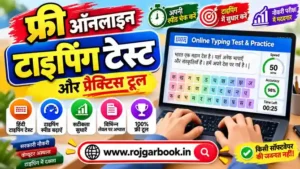
Start Online Typing Test/ Practice
(कृपया अपनी परीक्षा एवं सुविधा के अनुसार विकल्प चुन कर टेस्ट/प्रैक्टिस करें)
Loading typing test…
Typing Instructions/ टाइपिंग निर्देश
Free Tools फ्री टूल
Features of RB Typing Test / टूल की विशेषताएँ
⌨️ Typing Test & Practice
Take a timed Typing Test or relax in Practice mode.
टाइपिंग टेस्ट दें या अभ्यास मोड में प्रैक्टिस करें।
🌐 English & Hindi
Practise typing in English and Hindi.
अंग्रेज़ी और हिंदी दोनों भाषाओं में टाइपिंग।
📊 Difficulty Level
Choose Any, Easy, Medium or Hard passages.
कठिनाई स्तर: कोई भी, आसान, मध्यम, कठिन।
📄 Passage Choice
Random passage, Use my own passage, or pick a passage from the list (with word count and level shown).
रैंडम पैराग्राफ, अपना पैराग्राफ, या सूची से चुनें।
⏱️ Time Options
1, 2, 5, 10, 15, 30 minutes or set your own time in minutes.
1 से 30 मिनट या अपना समय चुनें।
🏆 3 Result Modes
Result as General, UPSSSC and SSC after every test.
General, UPSSSC और SSC – तीन तरह का रिज़ल्ट।
Options You Can Control / विकल्प
| Option | हिंदी | What it does |
|---|---|---|
| Allow Backspace | बैकस्पेस चालू | Turn backspace ON or OFF to match your exam rules. |
| Show mistakes while typing | टाइप करते समय गलतियाँ दिखाएँ | See wrong characters as you type, or hide them for exam-like practice. |
| Key sound | की-साउंड | Keyboard click sound while typing. |
| Dark mode | डार्क मोड | Easy on the eyes for long practice sessions. |
| Text size (A− / A+) | अक्षर का आकार | Make the passage text smaller or bigger. |
How to Take the Typing Test / टेस्ट कैसे दें
- Select Typing Test or Practice.
- Choose the language – English or Hindi.
- Select Difficulty, then the Passage (random, own passage or from the list).
- Set the Time and your Options (backspace, mistakes, sound, dark mode, text size).
- Start typing and, when time ends, check your General, UPSSSC and SSC result.
Useful For These Exams / किन परीक्षाओं के लिए
UPSSSC (Junior Assistant, Clerk, ASO etc.), SSC CHSL, SSC CGL, Railway (RRB), High Court, District Court, UP Police, LDC/Clerk, DEO, Stenographer and other government exams with a typing test. Speed rules differ by exam – always check the official notification.
Typing Speed Basics / WPM क्या है
- WPM = (Total characters typed ÷ 5) ÷ Time in minutes
- Accuracy % = (Correct words ÷ Total words typed) × 100
- Focus on accuracy first; speed increases with regular practice.
FAQ / अक्सर पूछे जाने वाले प्रश्न
Is this typing test free? / क्या यह टाइपिंग टेस्ट फ्री है?
Yes, it is free for all students. हाँ, सभी विद्यार्थियों के लिए फ्री है।
Can I type in Hindi? / क्या हिंदी में टाइप कर सकते हैं?
Yes, select Hindi in the language option. हाँ, भाषा में हिंदी चुनें।
Can I use my own passage? / क्या अपना पैराग्राफ डाल सकते हैं?
Yes, choose “Use my own passage” and paste your text. हाँ, “Use my own passage” चुनकर अपना टेक्स्ट डालें।
Can I turn off backspace? / क्या बैकस्पेस बंद कर सकते हैं?
Yes, use the “Allow Backspace” option. हाँ, “Allow Backspace” विकल्प से।
What time options are available? / कितने समय के टेस्ट हैं?
1, 2, 5, 10, 15 and 30 minutes, plus a custom time in minutes.
Disclaimer: Typing speed, duration and qualifying rules are set by the exam body and may change. Please verify from the official notification.